

Thought spoken. Note done.
Carspeak records with one tap, transcribes on your phone and files the note where you work. No account, no cloud required.
- No account
- On-device transcription
- 99 languages
How it works
From thought to note in three steps.
-
1
Tap
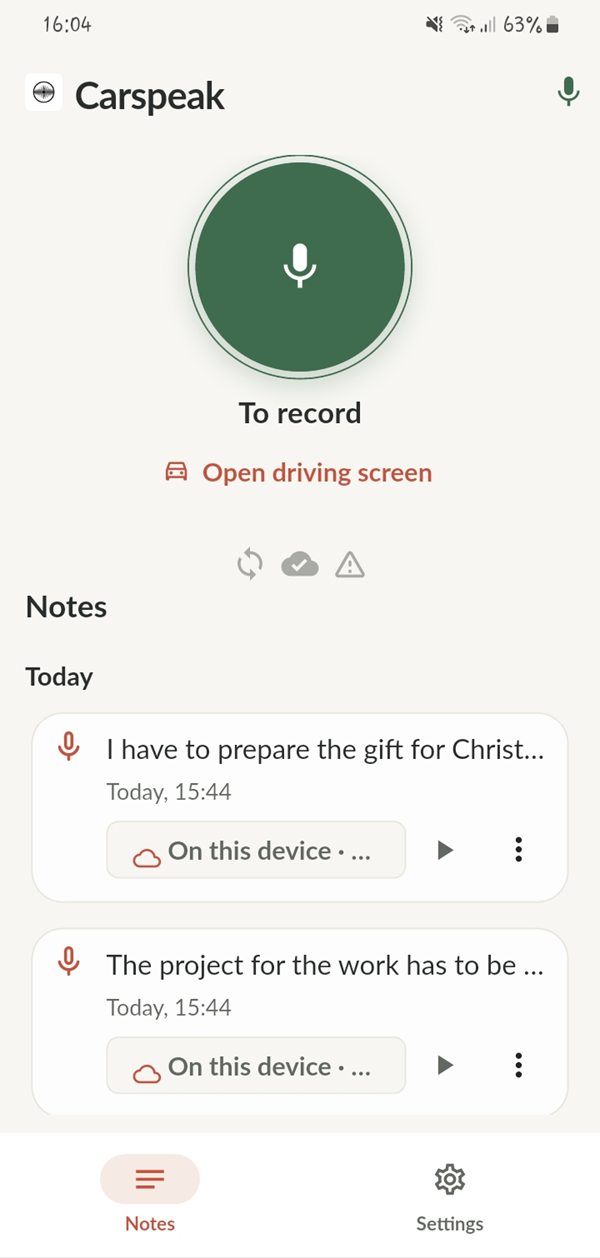
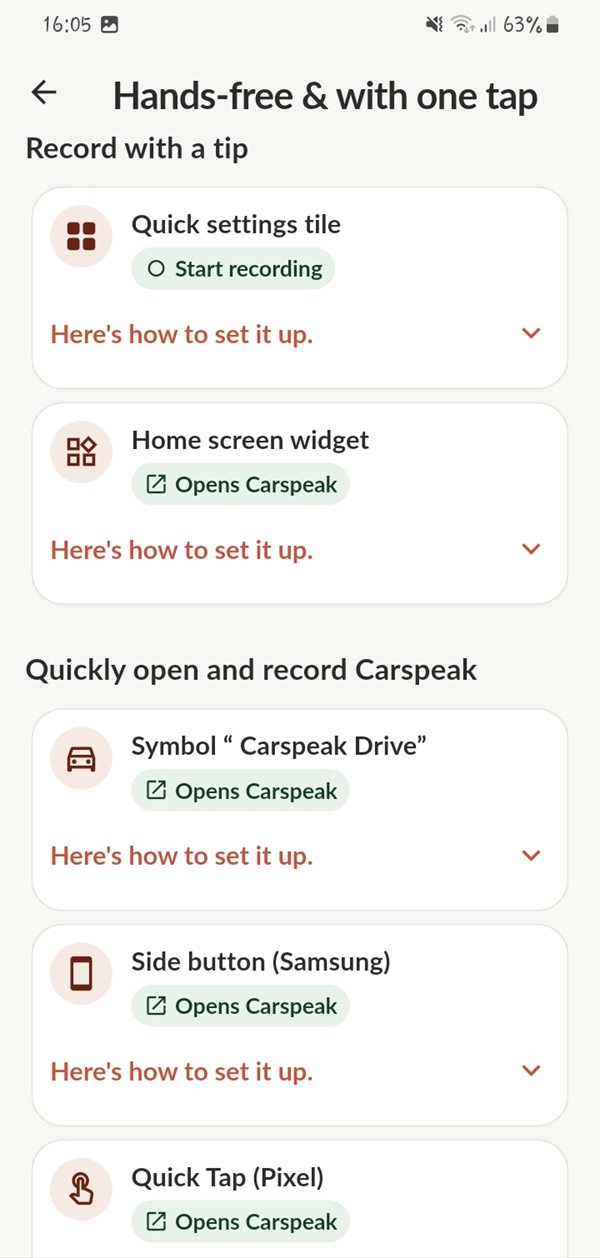
One tap starts the recording: in the app, on the driving screen, from a widget or from the Quick Settings tile.
-
2
Talk
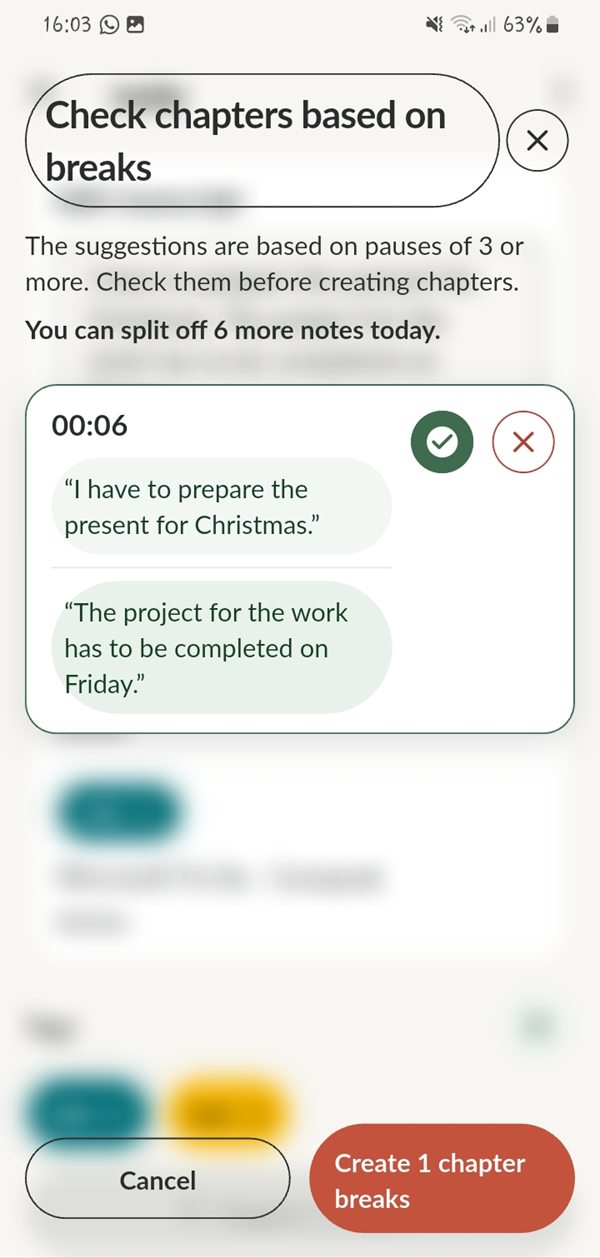
Say what is on your mind. Tap Mark to separate several thoughts in one session. Carspeak suggests chapters afterwards and you confirm them.
-
3
Done
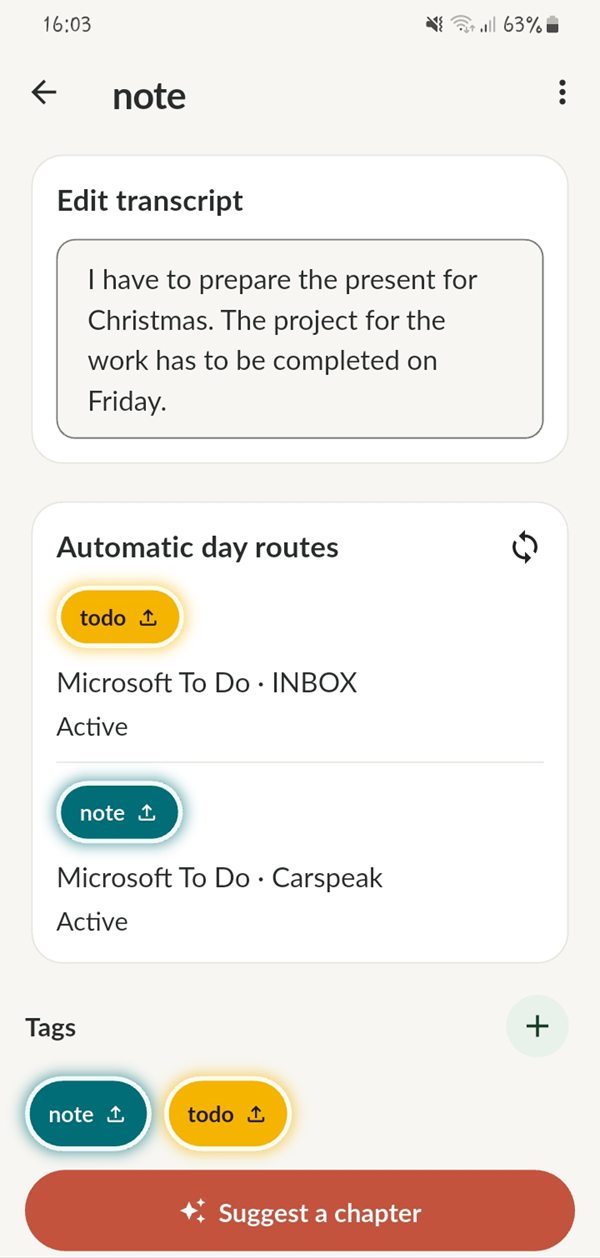
Carspeak transcribes on your phone. Correct the text if you like, add tags, and the note goes to the right place automatically.
On the go
Built for the road.
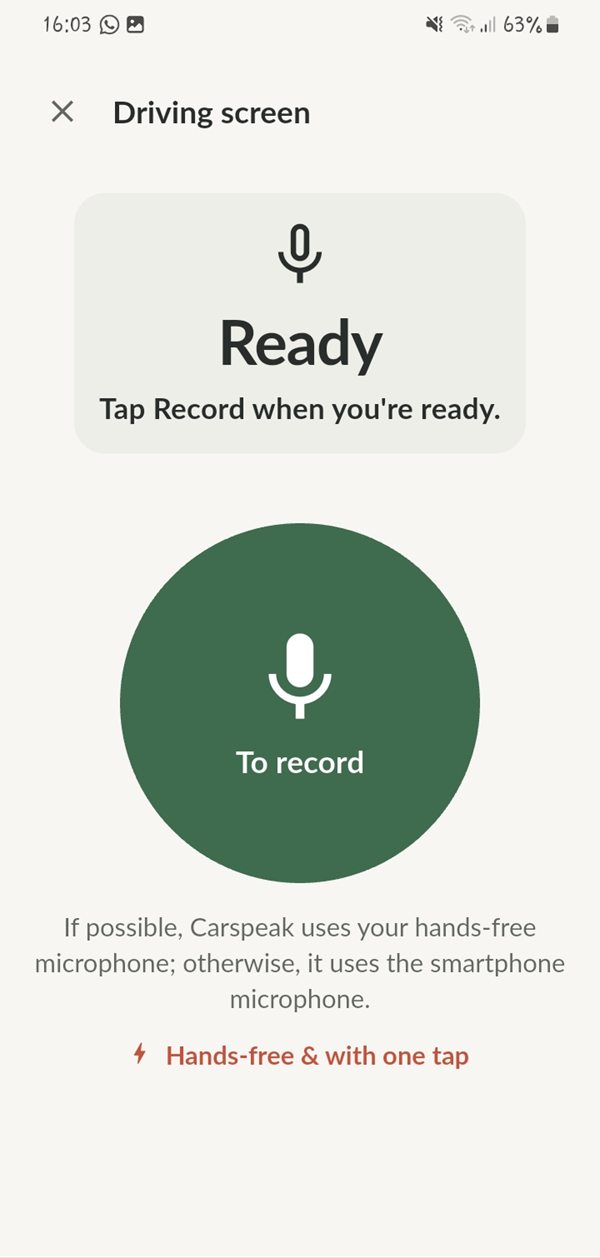
A driving screen with large controls adapts to day and night. Optional audio cues confirm that recording has started, so you do not have to look at the display.
- Quick Settings tile and widgets Start from the notification shade, the home screen or the lock screen.
- Hardware shortcuts Open Carspeak with the Samsung side key or Quick Tap on Pixel phones.
- Hands-free microphone Carspeak uses your hands-free microphone when possible, otherwise the phone's microphone.
Set up Carspeak before you drive and follow your local traffic laws.
Export
Your notes, in your tools.
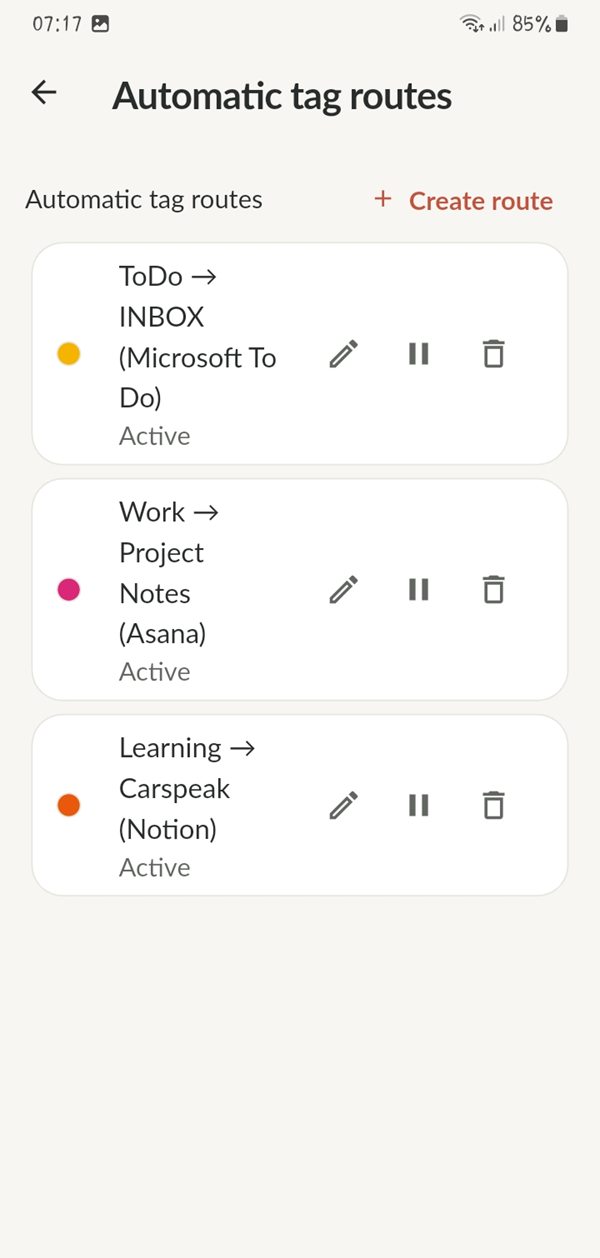
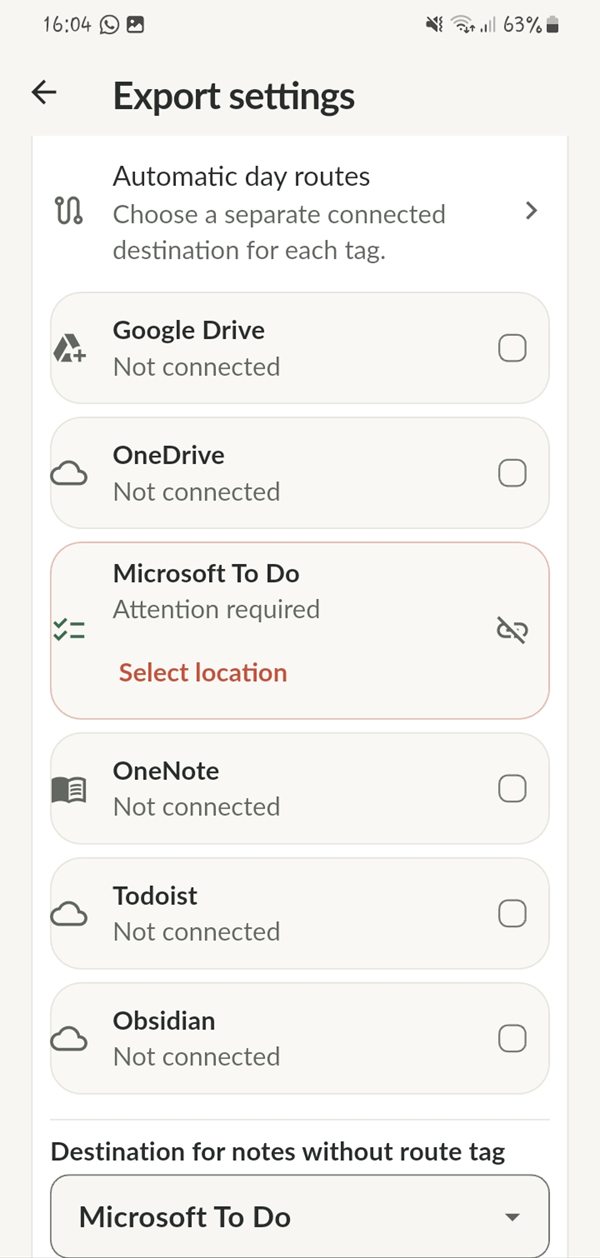
Set up a tag route once. From then on, a note tagged todo lands in your task list and a note tagged work in your project. Exports go directly from your phone to the app you connected.
Cloud accounts
- Google Drive
- OneDrive
- Microsoft To Do
- OneNote
- Todoist
- Notion
- TickTick
- Trello
- Asana
- ClickUp
- Monday.com
Local folder (Markdown)
- Obsidian
- Joplin
- Logseq
API token and webhook
- Craft
- Mem
- Roam Research
- Notesnook
- Custom webhook
Share sheet
- Day One
All product names are trademarks of their respective owners.
Privacy
Private by default. Here is what that means.
No account. By default, no audio is uploaded anywhere.
Stays on your phone
Recordings, transcripts, titles, tags and chapters. Speech recognition runs on the device with a model you download once.
Leaves only when you say so
Exports to an app you connected, sent directly from your phone to that provider, and the optional encrypted backup.
Advertising
The free version shows ads through Google AdMob, with your consent. Notes, recordings and transcripts are never passed to the ad component. Details are in the privacy policy.
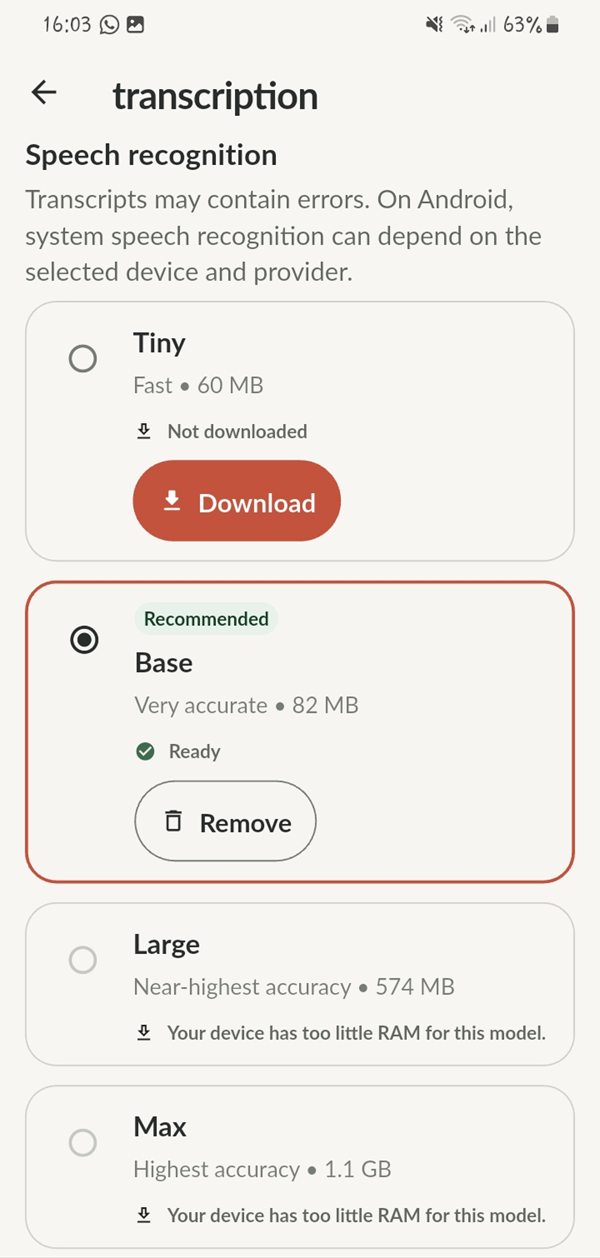
Transcription that runs on your device.
Choose the model that fits your phone. Smaller models are fast and need little storage, larger ones are more accurate and need more memory.
- Four model sizes, from 60 MB to 1.1 GB
- Works offline once the model is downloaded
- Transcripts can be corrected at any time
Pricing
Free to use. Pro when you need more.
Free
$0
- 10 voice notes per day, chapters included
- 2 automatic export routes
- On-device transcription and all export destinations
- With ads
Carspeak Pro
- Unlimited voice notes and chapters
- Unlimited automatic export routes
- No advertising
- MonthlyFirst week free$2.19 / month
- YearlyFirst week free$21.99 / year
- LifetimeOne-time purchase$29.99
Prices for the United States. Google Play shows the price for your country.
FAQ
Frequently asked questions.
Does Carspeak work with Android Auto?
No. Carspeak runs on your phone and has no Android Auto screen. In the car, use the driving screen on a mounted phone. Carspeak uses your hands-free microphone when possible, otherwise the phone's microphone.
Do I need an account or an internet connection?
You do not need an account. An internet connection is only needed to download a transcription model once and for the exports you choose to set up. Recording and transcription work offline.
Which languages does Carspeak support?
Carspeak is available in 99 languages.
Where can I export my notes?
To cloud accounts such as Google Drive, OneDrive, Microsoft To Do, OneNote, Todoist, Notion, TickTick, Trello, Asana, ClickUp and Monday.com. To local Markdown folders for Obsidian, Joplin and Logseq. To Craft, Mem, Roam Research, Notesnook or your own webhook with an API token, and to Day One through the share sheet. Exports are optional.
What does Carspeak cost?
Carspeak is free with ads, 10 voice notes per day and 2 automatic export routes. Carspeak Pro removes the limits and the ads: $2.19 per month or $21.99 per year, each with the first week free, or $29.99 once. These are US prices; Google Play shows the price for your country.
How do I delete my data?
Delete any note in the app at any time. Uninstalling Carspeak removes all data stored on your phone. Copies you exported to other apps remain there until you delete them with that provider.
Is there an iPhone version?
Not at the moment. Carspeak is available for Android.
Never lose an idea again.
Record it, find it as text, and keep it private. Carspeak is free on Google Play.
Get it on Google Play